
Forward, snap, or paste
Forward any confirmation email to [email protected], snap a photo or screenshot, share a PDF from Mail, paste text, or enter an airline booking code.
Forward a booking email, snap a boarding pass, or share a PDF. AI Trip Tracker turns your flights, hotels, and plans into one clean timeline — then watches every flight and tells you the moment a gate, terminal, or departure time changes.
14 days free · No credit card · iPhone, Android & Web · $24.99/year
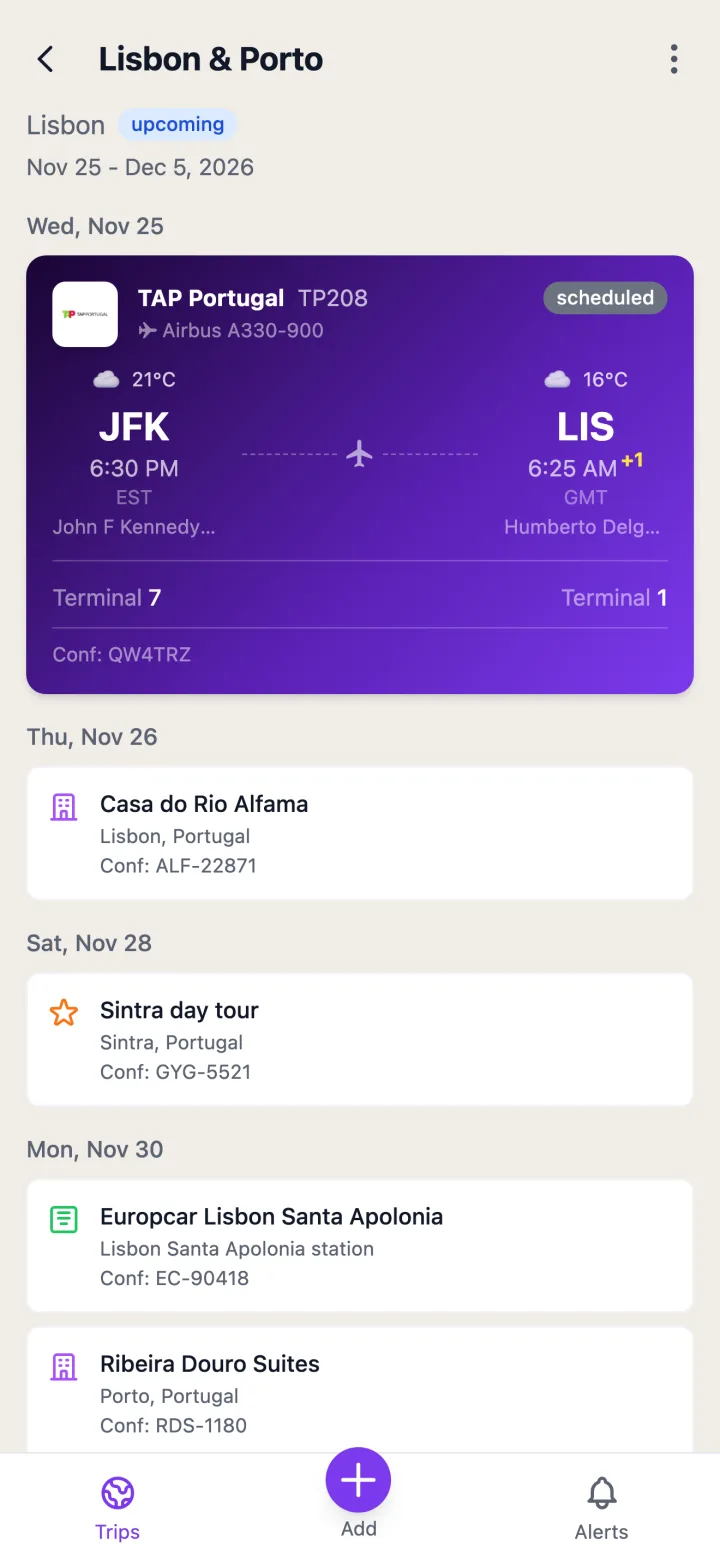
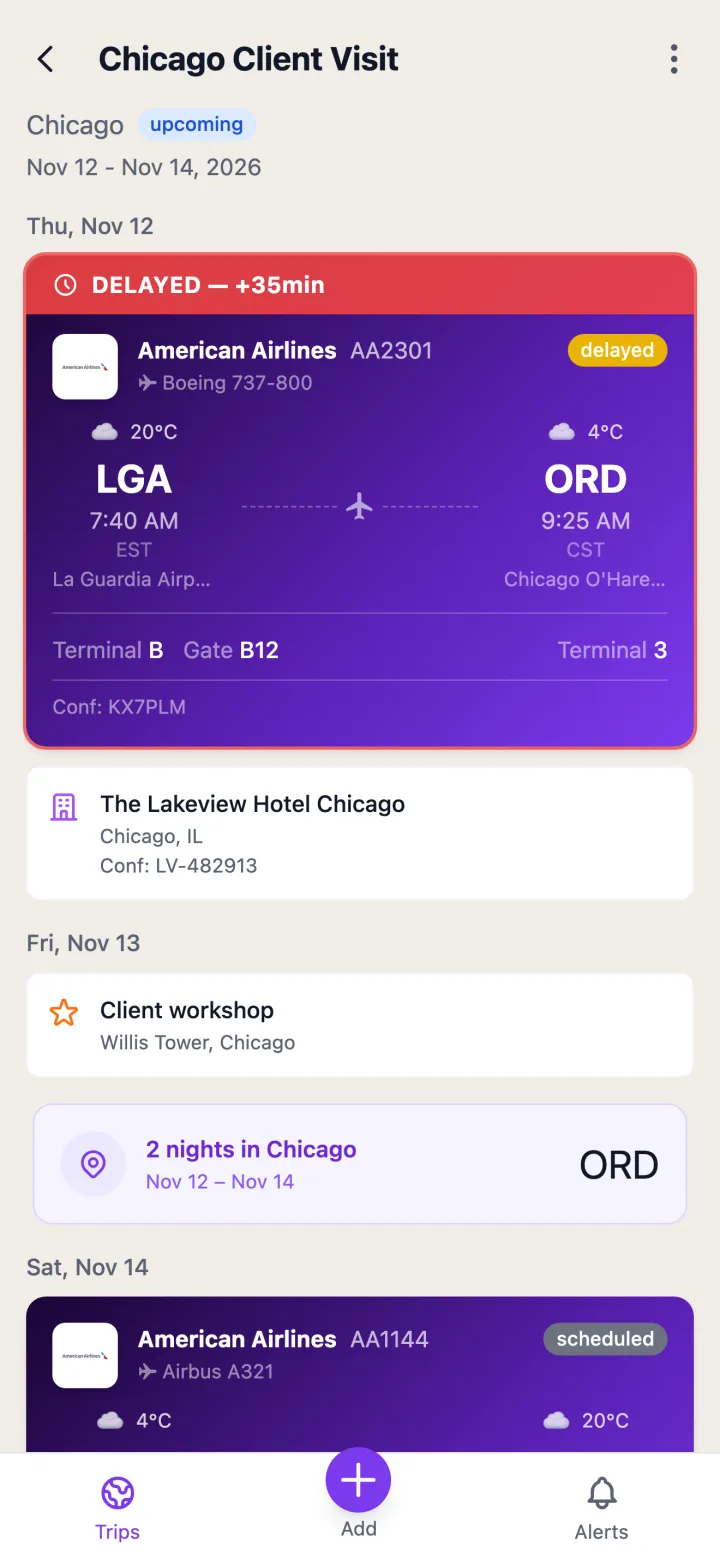
From booking confirmation to a live-monitored itinerary in under two minutes — no manual typing, no digging through inbox threads at security.
Forward any confirmation email to [email protected], snap a photo or screenshot, share a PDF from Mail, paste text, or enter an airline booking code.
AI understands messy airline, hotel, rental car, and tour emails — extracting flight numbers, local times, confirmation codes, addresses, and check-in windows automatically.
Live aviation monitoring checks your flights automatically and pushes alerts for delays, gate swaps, cancellations, and landings — with the reason behind every delay.
Flight tracker, hotel organizer, delay explainer, ride shortcut, and shared itinerary — all unified with zero ads and zero Pro-tier upsells.
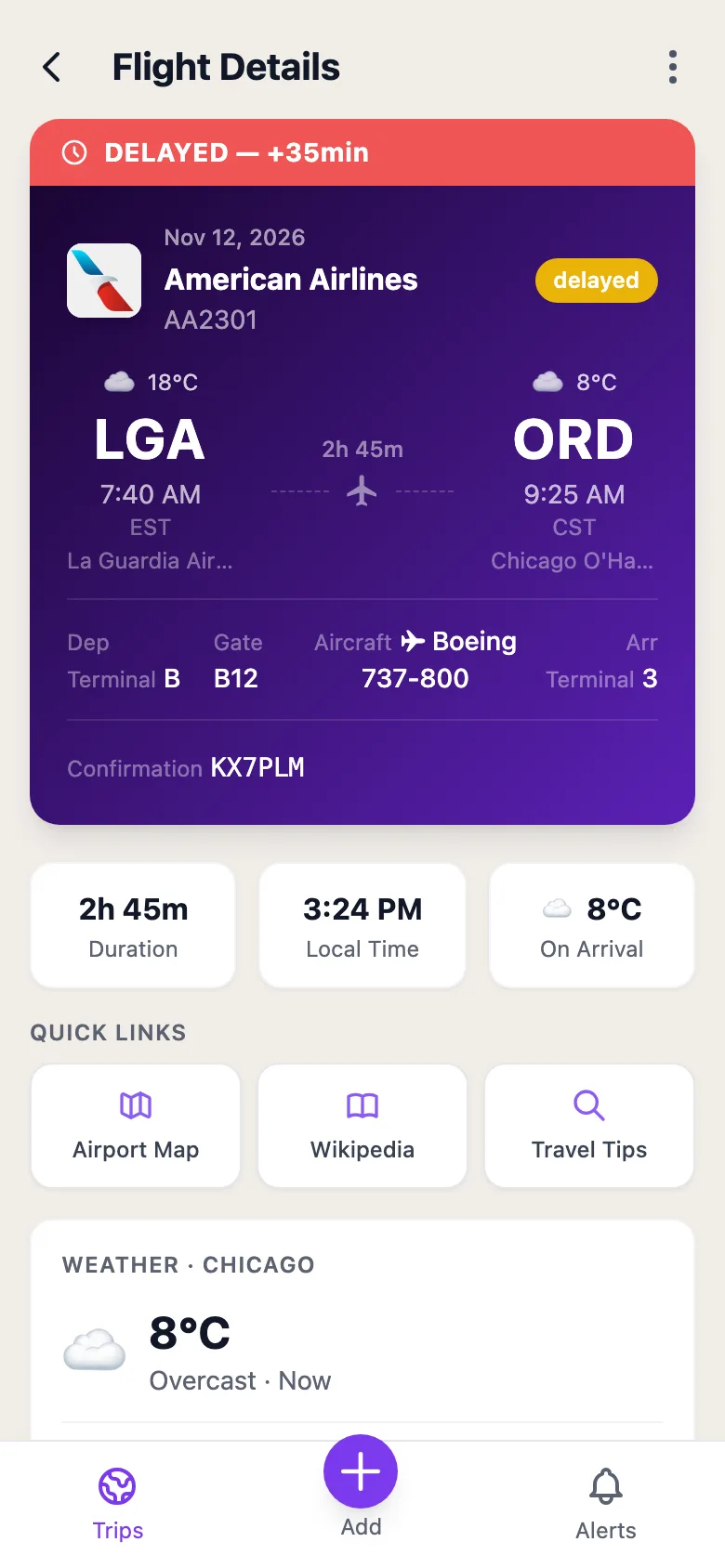
Most apps only flash “Delayed.” AI Trip Tracker watches aviation feeds automatically and explains what's actually happening — weather at origin, ATC congestion, crew scheduling, or mechanical holds — alongside live terminal, gate, aircraft, and arrival weather.
Send any booking email to [email protected] or your private address. We match it to your account, parse every detail, and add it without opening the app.
One tap opens Uber or Lyft right from your arrival flight with your airport pickup — and your trip's hotel destination in Uber — already pre-filled.
One tap shares your flight, local landing time, terminal, and baggage belt straight into WhatsApp or email — no screenshots, no “what gate again?”
Invite family or colleagues to follow your trip in real time. They see the exact same live gates, terminals, and delay updates you do.
Have a 6-character booking reference? Enter the code and your last name — AI Trip Tracker pulls the flights straight from the airline.
Upcoming trips stay cached offline on the tarmac or abroad, protected by Face ID or fingerprint lock with customizable quiet hours.
Screens and menus of the app. Tap any picture to see it full size.
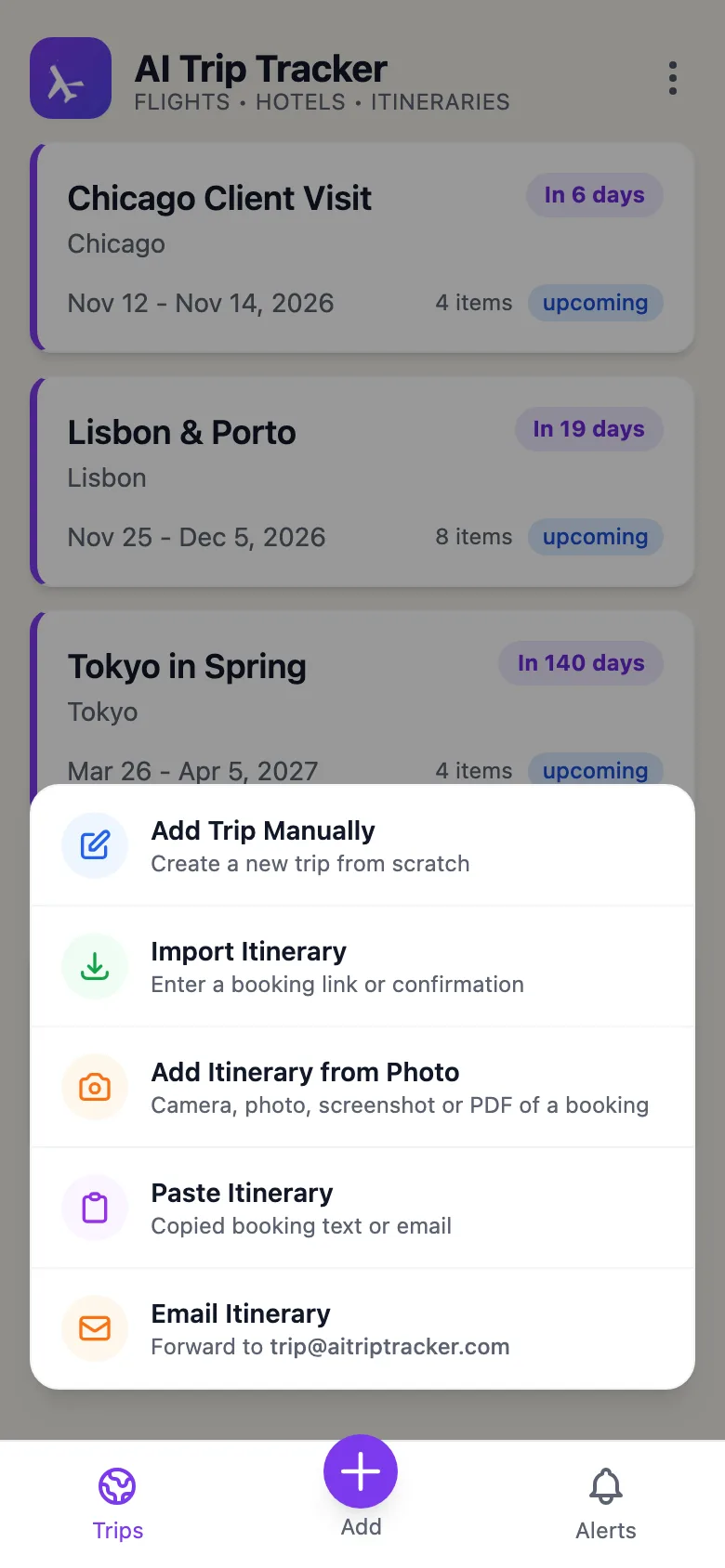
Import from a confirmation code, photo, screenshot, PDF, pasted text, or forwarded email in seconds.
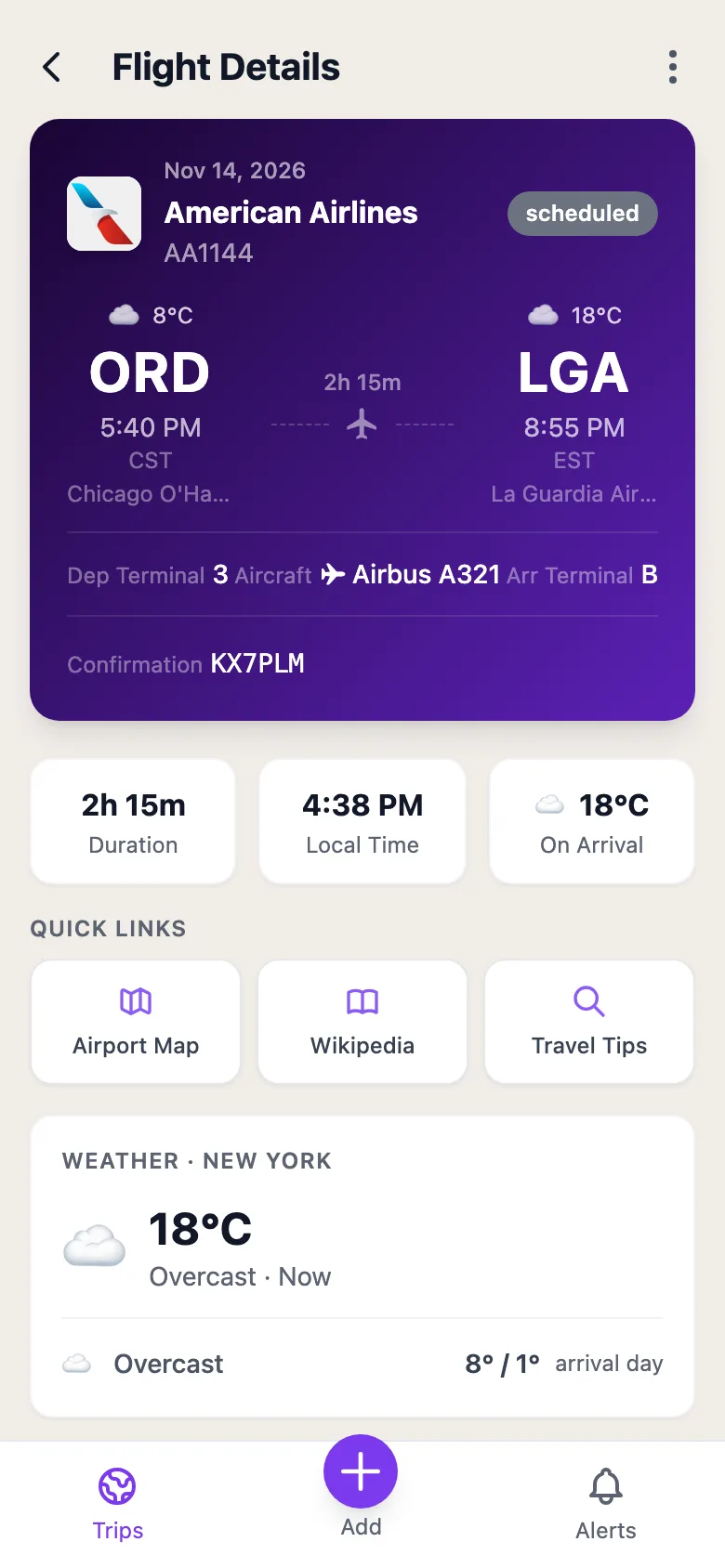
Local times, terminals, gates, aircraft type, flight duration, and destination weather forecast on one screen.
Clear delay banners with updated departure times, gate info, and real push alerts sent automatically.
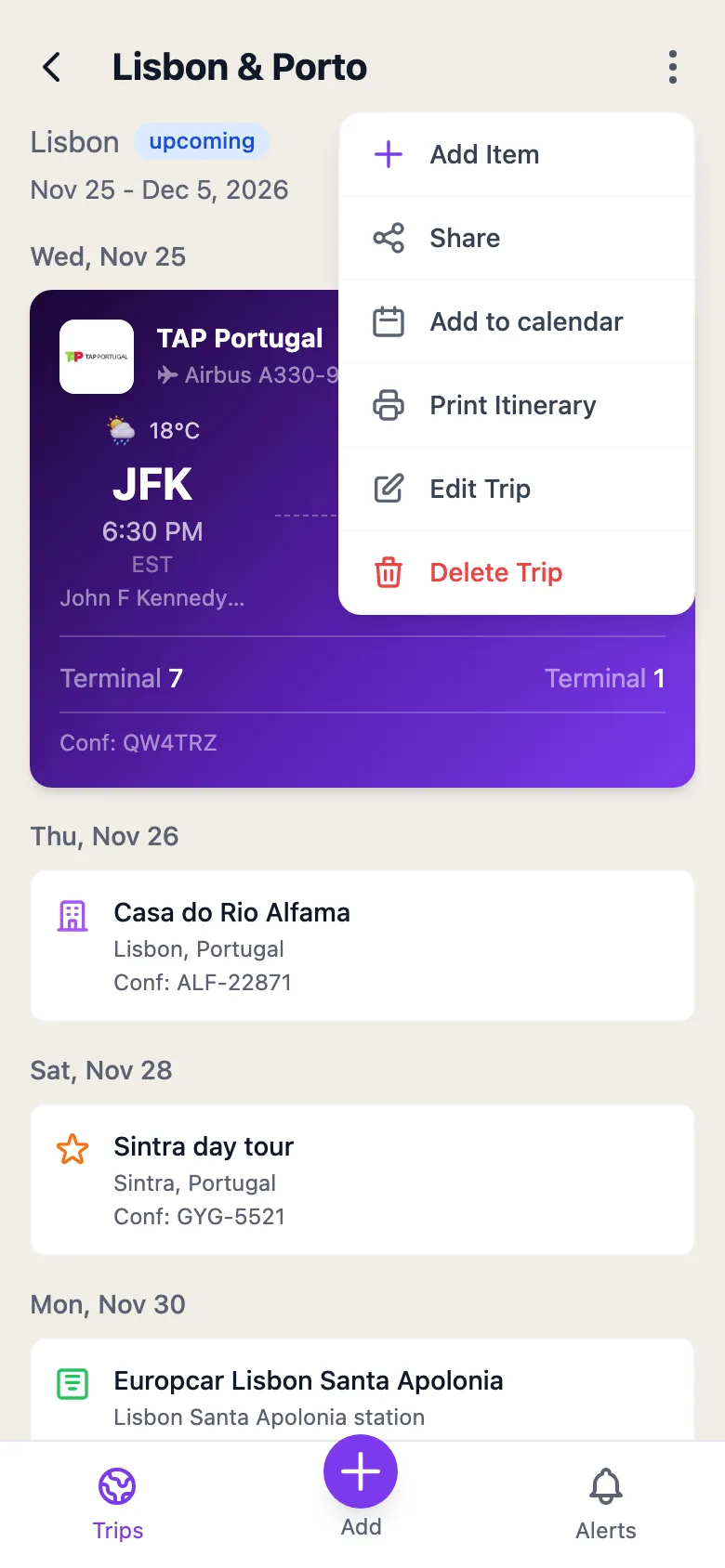
Share with family, export every flight and hotel to your calendar, or print a clean paper itinerary.
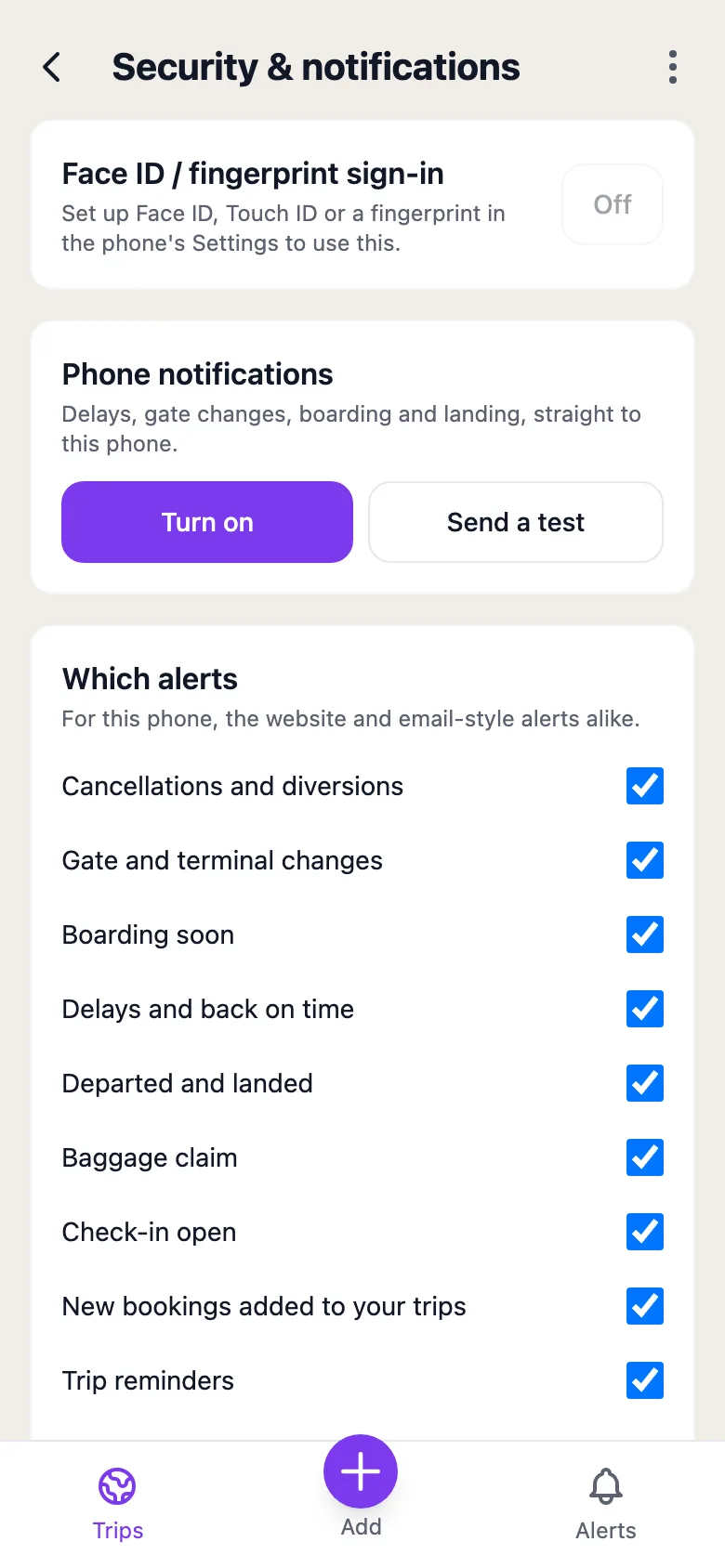
Pick exactly which flight changes notify you, set quiet hours, and lock trips behind Face ID or Touch ID.
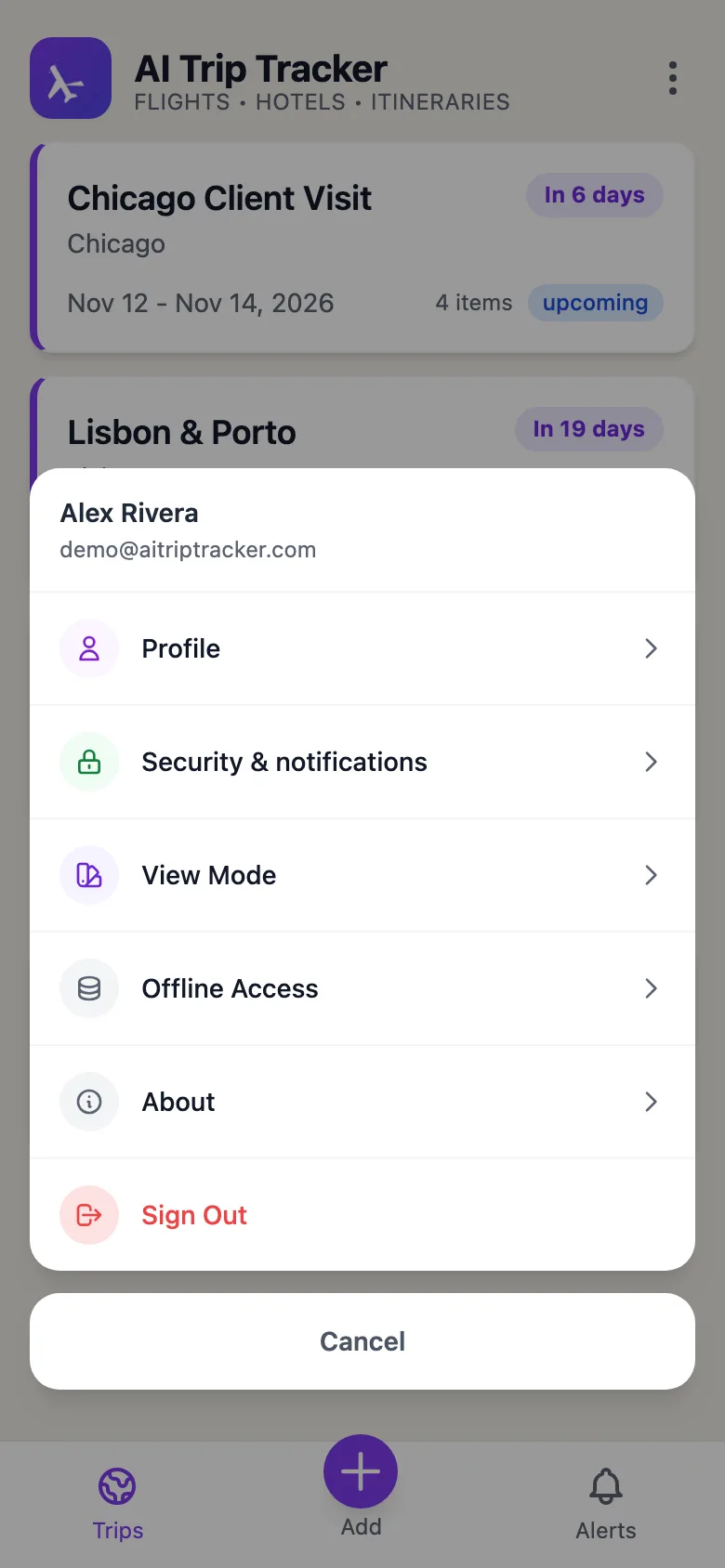
Sync seamlessly across iPhone, Android, and desktop web with offline caching built in.
No inbox-scanning OAuth required, no travel ads, no reselling itineraries. Forward only the confirmations you choose, and lock your trips on your device.
Never hand over your Gmail or Outlook password. Forward just the confirmations you want parsed.
Require biometrics before opening itineraries, confirmation codes, and hotel addresses on your phone.
Your upcoming itinerary, gates, and hotel check-ins stay available with zero signal on the tarmac or abroad.
Funded directly by a simple $24.99/year subscription — never by hotel upsells or data brokers.
Every feature included for $24.99/year across iPhone, Android, and desktop web. Checked November 2026.
| Capability | AI Trip Tracker | TripIt | Flighty | Tripsy |
|---|---|---|---|---|
| Price per year | $24.99 (all included) | Free; Pro $49/yr | Free; Pro $59.99/yr | Free; Pro $39/yr |
| iPhone, Android & Web | ✓All three | ✓All three | Apple only | Apple only |
| Live flight alerts | ✓Included | Pro ($49/yr) | Pro ($59.99/yr) | Pro ($39/yr) |
| AI photo, screenshot & PDF import | ✓AI reads it | Attach only | ✕Not listed | Pro |
| Why a flight is delayed | ✓AI explains | Risk Alerts (Pro) | ✓Pro | Not stated |
| Hotels, cars & activities | ✓Included | ✓Included | Flights only | ✓Included |
Full access to every feature — AI parsing, live flight tracking, delay reasons, ride shortcuts, and offline sync. Cancel anytime.
Try AI Trip Tracker on your upcoming flight or vacation with zero payment details required.
Start 14-day free trialLess than a single airport coffee a month. Unlimited trips, flights, hotels, and shared itineraries.


On a computer? Start your free 14‑day trial here, subscribe by card, and use it on your computer and any phone. Cancel anytime.
AI Trip Tracker is an iPhone and Android app (also on the web) that uses artificial intelligence to automatically parse your booking confirmations, track your flights automatically, and organize your entire trip — flights, hotels, car rentals, and activities — in one place. Get it on the App Store or Google Play, or use it in any browser.
Forward any booking confirmation email to [email protected] (or your private forwarding address), take a photo or screenshot of a booking, pick a PDF, share it from Mail, or paste the text into the app. Either way, our AI reads it and automatically extracts flight numbers, dates, airports, hotels, and other details — no manual data entry needed. Forwarded emails are automatically matched to your account based on your registered email address.
Yes! Every new account gets a 14-day free trial with full access to all features, and no payment details are needed to start. After 14 days, you can subscribe for $24.99/year in the app (through the App Store or Google Play) to keep using AI Trip Tracker.
On iPhone and Android you subscribe inside the app, and Apple or Google handles the payment. To cancel, open your App Store or Google Play subscriptions; you keep access until the end of the paid year. On a computer you can also start in your browser and subscribe by card; cancel that one in the app under Settings → Subscription. Changing phones? Tap Restore Purchases.
AI Trip Tracker monitors your upcoming flights and sends push notifications for status changes including delays, gate changes, cancellations, and when your flight has landed. Notifications are delivered directly to your device automatically.
Yes. Your flight page has Uber and Lyft buttons: one tap opens the Uber or Lyft app with your arrival airport already set as the pickup (and your hotel as the destination in Uber, when your trip has one).
AI Trip Tracker is on the App Store for iPhone and on Google Play for Android, and works in any modern browser on a laptop or desktop. Sign in with the same account everywhere; in the apps your upcoming trips are available even when offline.
Forward one booking email or snap one boarding pass. AI Trip Tracker handles parsing, tracking, alerts, and rides. 14 days free.